B.L.A.S.T.
Automatic document text-reader (OCR): PDFs, slides, and images in, clean text out.
The demo sleeps when nobody is using it, so the first load can take a minute.
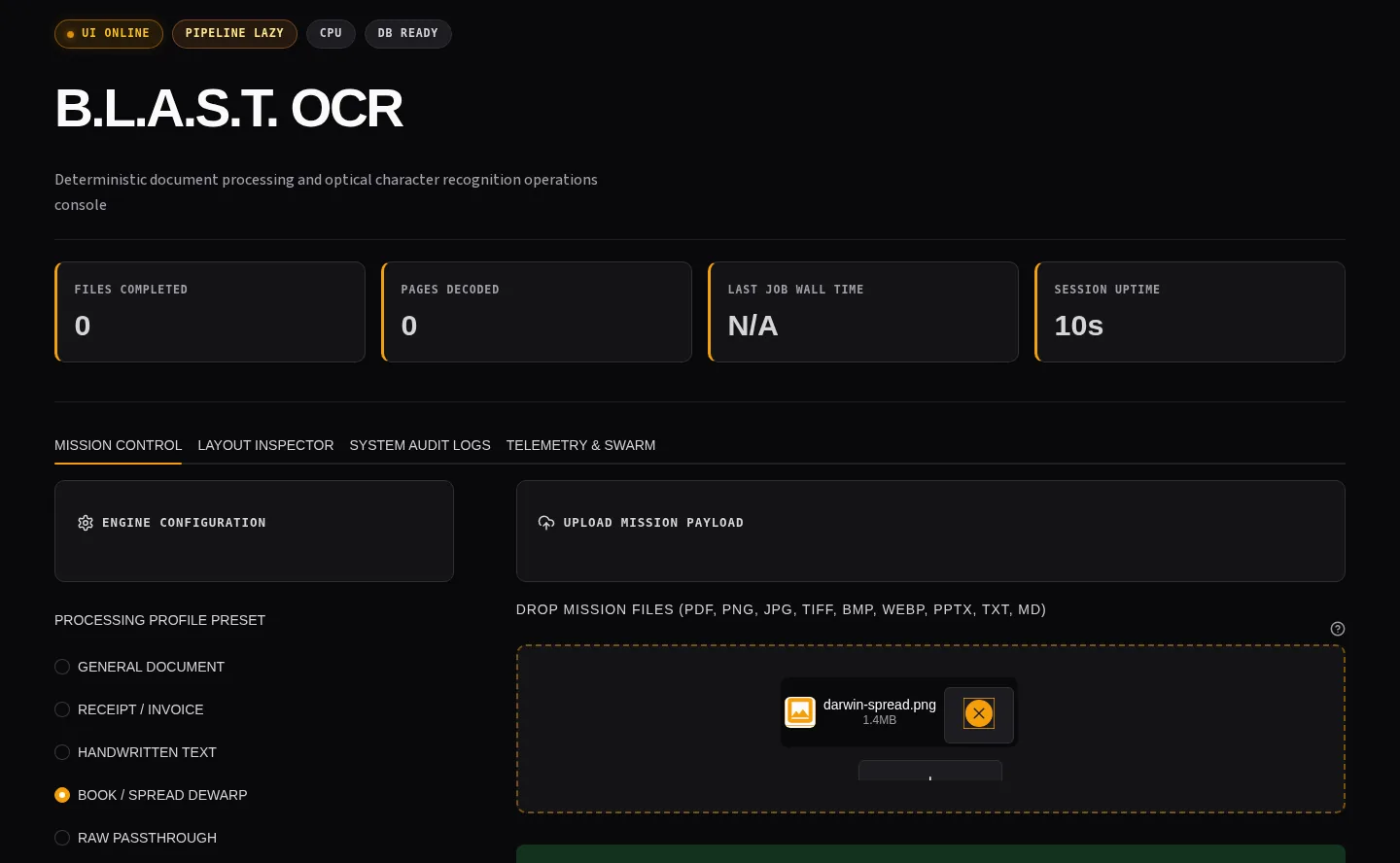
What this demonstrates for your project
- Problem
- Extracting text from scanned book spreads, slide decks, and multi-column PDFs breaks naive OCR with interleaved lines and lost reading order.
- What was built
- A deterministic Python OCR pipeline using RapidOCR/ONNX, PyMuPDF, Streamlit, and SQLite with automated gutter detection and column ordering.
- What it proves
- Character error rate dropped from 0.499 (EasyOCR v1) to 0.108 on a 14-page gold set. Out-of-the-box Tesseract scored 0.177, won 9 of 14 pages and its OCR step is ~4.5x faster. Backed by 914 collected tests.
- Status & context
- Live demo running on Streamlit; public repository on GitHub. Tested on 4-core CPU.
Overview
Problem
Getting text out of scanned PDFs, slide decks, and photos is tedious and unreliable: existing tools break on messy real-world documents.
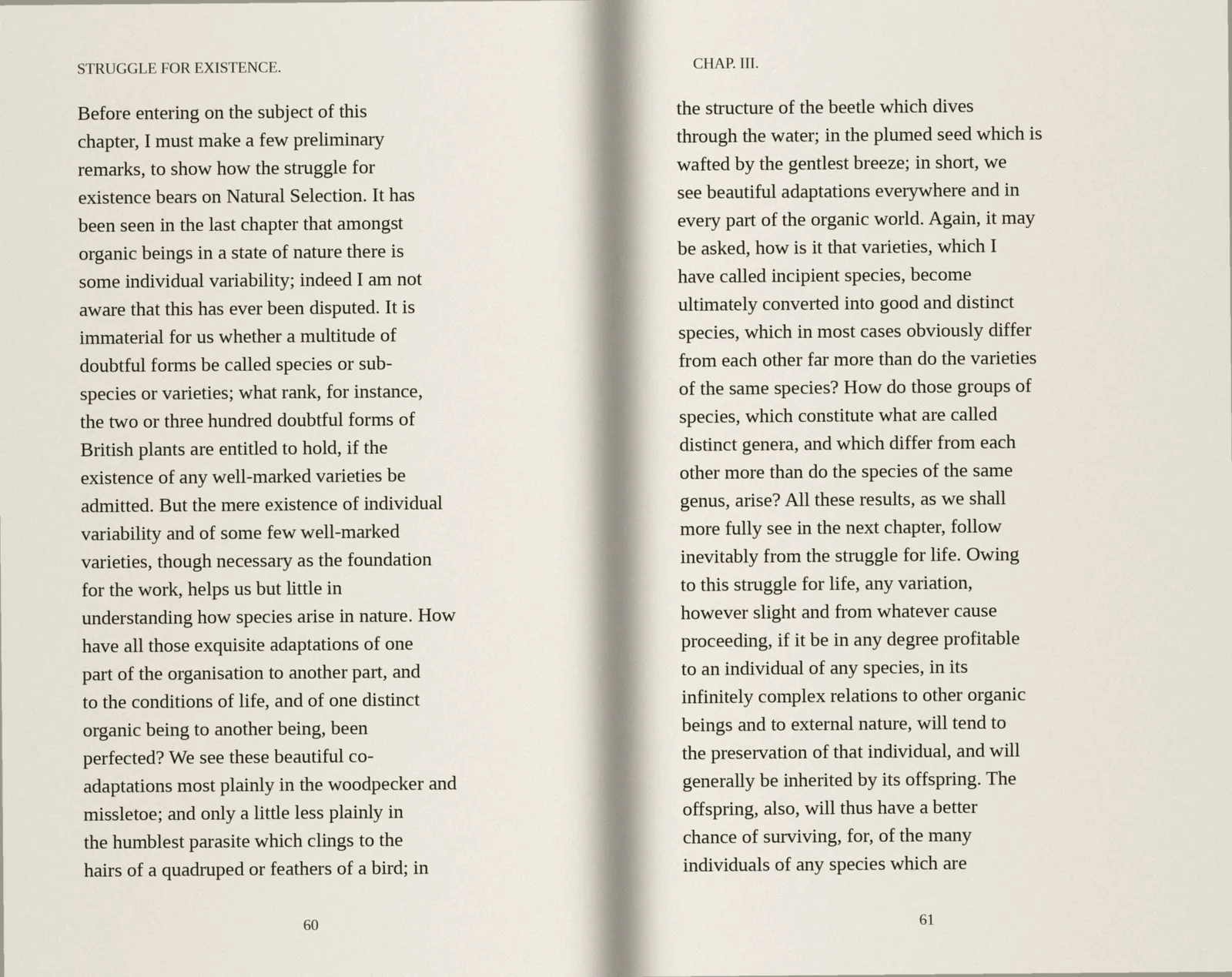
B.L.A.S.T. reads text out of documents automatically (a technique called OCR) and turns it into clean Markdown or Word files. Most of the pages it was built for are scanned book spreads: two pages in one image. It finds the gutter between them and reads each page on its own, then orders the columns within each page. It retries a page that fails and gives the same output for the same input. Try it in the live demo.
Architecture
- Input document (PDF/PPTX/Image)
- Navigator (blast_ocr/main.py)
- Preprocess + route by source type
- OCR text extraction
- Self-healing retries/backoff
- Markdown + DOCX output
- Job metrics in SQLite
Measured on 14 hand-transcribed pages
Every version was scored on the same 14 pages from one scanned 1959 book. The first version used EasyOCR; splitting spreads at the gutter halved the error, and switching to RapidOCR made it faster as well. The last row is out-of-the-box Tesseract on the same pages: it won 9 of the 14 and ran faster, and B.L.A.S.T. is ahead on average because Tesseract fails on two nearly empty pages.
| Version | Mean CER | Mean WER | Reading order τ | s / page |
|---|---|---|---|---|
| First version (EasyOCR) | 0.4992 | 0.7288 | 0.6770 | ~60 |
| + preprocessing | 0.4944 | 0.7248 | 0.6822 | 33.4 |
| + gutter split and columns | 0.2338 | 0.4968 | 0.9641 | 117.1 |
| + RapidOCR engine | 0.1916 | 0.4739 | 0.9758 | 15.6 |
| Now, 2026-10-20 | 0.108 | 0.449 | 0.993 | 16.5 |
| Tesseract 4.1.1, default | 0.177 | 0.279 | 0.995 | 3.7 |
All timings are on one 4-core laptop CPU, and the stop clock covers the OCR call, not full document processing. Full per-page results and the script are in the RapidOCR vs Tesseract write-up, and benchmark files are at commit 43590fd on GitHub.
Impact / Learnings
The biggest gain came from layout, not from the recognition engine: plain RapidOCR read straight across both pages of a spread and scored 0.458. The open problem is words: RapidOCR drops spaces after punctuation, which is why Tesseract still has the better word error rate.
- 60
Before entering on the subject of this - 61
thestructure ofthebeetlewhich dives - 60
chapter, I must make a few preliminary - 61
through the water; in the plumed seed which is - 60
remarks, to show how the struggle for - 61
wafted by the gentlest breeze; in short, we - 60
existencebearsonNatural Selection.It has - 61
see beautiful adaptations everywhere and in - 60
been seen in the last chapter that amongst
- 60
chapter, I must make a few preliminary - 60
remarks, to show how the struggle for - 60
existencebearsonNaturalSelection.Ithas - 60
beenseeninthelastchapterthatamongst - 60
organic beings in a state of nature there is - 60
some individual variability; indeed I am not - 60
aware that this has ever been disputed. It is - 60
immaterial for uswhether a multitude of - 60
doubtful forms be called species or sub-
914 collected tests (gathered by pytest at commit 43590fd on 2026-10-20) cover extraction, retry, cleanup, and concurrency paths. That is a count of collected tests, not a pass rate, and the live Streamlit deployment runs the same pipeline as the CLI.
Architecture
Layered Design
- Layer 1 (Architect)
- architecture/ + SOP docs
- Layer 2 (Navigator)
- blast_ocr/main.py routing and control flow
- Layer 3 (Tool)
- blast_ocr/core/* modules for extraction/healing/parallelism
- Thread-safety
- global OCR lock around thread-unsafe calls
- Session isolation
- scoped sessions per worker thread
Runtime Output
- CLI
- python run.py <file-or-dir> --out <dir>
- GUI
- streamlit run blast_ocr/ui/web_app.py
- Artifacts
- formatted markdown + docx
- Storage
- SQLite job history + timing metadata
- Controls
- env-based knobs for workers/confidence/backoff
When it goes wrong
| What fails | What the system does |
|---|---|
| Unsupported file type or missing input path | Rejected before processing starts (see the Code tab), instead of silently producing garbage output. |
| A page fails to extract in a multi-page document | Self-healing retry with backoff on that page; the rest of the document still completes. |
Code
# blast_ocr/main.py (simplified)
# Navigator layer routes source type -> extraction pipeline

from pathlib import Path
from blast_ocr.pipeline import run_pipeline

SUPPORTED = {".pdf", ".pptx", ".png", ".jpg", ".jpeg", ".bmp"}

def process(source: str, out_dir: str | None = None) -> dict:
    path = Path(source)
    if not path.exists():
        raise FileNotFoundError(f"Input not found: {path}")

    if path.suffix.lower() not in SUPPORTED:
        raise ValueError(f"Unsupported format: {path.suffix}")

    return run_pipeline(path=path, out_dir=out_dir)

if __name__ == "__main__":
    result = process("sample.pdf", out_dir="./outputs")
    print(result["status"], result["artifacts"])
Have documents or scans you need processed automatically?
Send a brief →Need something like this? See Document OCR & Processing Pipelines.